Message
Conversation rows with an avatar slot, header, footer, grouping, and start/end alignment around a Bubble surface.
123456789101112131415161718192021222324252627282930313233343536import { Avatar } from "#components/ui/base-ui/avatar.tsx";import { Bubble } from "#components/ui/base-ui/bubble.tsx";import { Message } from "#components/ui/base-ui/message.tsx";
// Composition// Message.Root// ├── Message.Avatar// └── Message.Content//     ├── Message.Header//     ├── Bubble.Root → Bubble.Content//     └── Message.Footer//// Message.Group// ├── Message.Root// └── Message.Root
export function Example() { return ( // align resolves once on Root; parts inherit it via context and // expose data-* attributes. Render the visible surface with Bubble. <Message.Root> <Message.Avatar> <Avatar.Root size="sm"> <Avatar.Fallback>CN</Avatar.Fallback> </Avatar.Root> </Message.Avatar> <Message.Content> <Message.Header>Riley</Message.Header> <Bubble.Root variant="subtle"> <Bubble.Content>Ready when you are.</Bubble.Content> </Bubble.Root> <Message.Footer>Just now</Message.Footer> </Message.Content> </Message.Root> );}Avatar
Message.Avatar sits on the first bubble on both sides. Set align="end" on the message to flip the avatar to the trailing edge.
12345678910111213141516171819202122232425262728293031323334353637import { Avatar } from "#components/ui/base-ui/avatar.tsx";import { Bubble } from "#components/ui/base-ui/bubble.tsx";import { Message } from "#components/ui/base-ui/message.tsx";import { indigoPalette } from "@stylexblocks/ui/themes/palettes.ts";
export function Example() { return ( <> <Message.Root> <Message.Avatar> <Avatar.Root size="sm"> <Avatar.Fallback>R</Avatar.Fallback> </Avatar.Root> </Message.Avatar> <Message.Content> <Bubble.Root variant="subtle"> <Bubble.Content> The build failed during dependency installation. </Bubble.Content> </Bubble.Root> </Message.Content> </Message.Root> <Message.Root align="end"> <Message.Avatar> <Avatar.Root size="sm"> <Avatar.Fallback>ME</Avatar.Fallback> </Avatar.Root> </Message.Avatar> <Message.Content> <Bubble.Root variant="solid" align="end" palette={indigoPalette}> <Bubble.Content>Can you share the exact error?</Bubble.Content> </Bubble.Root> </Message.Content> </Message.Root> </> );}Group
Message.Group stacks consecutive rows from the same sender. Render the avatar on the first row and an empty Message.Avatar on later ones so they stay aligned.
1234567891011121314151617181920212223242526272829303132import { Avatar } from "#components/ui/base-ui/avatar.tsx";import { Bubble } from "#components/ui/base-ui/bubble.tsx";import { Message } from "#components/ui/base-ui/message.tsx";
export function Example() { return ( <Message.Group> <Message.Root> <Message.Avatar> <Avatar.Root size="sm"> <Avatar.Fallback>CN</Avatar.Fallback> </Avatar.Root> </Message.Avatar> <Message.Content> <Bubble.Root variant="subtle"> <Bubble.Content>I checked the registry addresses.</Bubble.Content> </Bubble.Root> </Message.Content> </Message.Root> <Message.Root> <Message.Avatar /> <Message.Content> <Bubble.Root variant="subtle"> <Bubble.Content> The component and example JSON now live under the UI registry. </Bubble.Content> </Bubble.Root> </Message.Content> </Message.Root> </Message.Group> );}Header and Footer
Message.Header stays start-aligned for a sender name. Message.Footer follows the message side for status such as delivered or read.
123456789101112131415161718192021222324252627282930313233343536373839import { Avatar } from "#components/ui/base-ui/avatar.tsx";import { Bubble } from "#components/ui/base-ui/bubble.tsx";import { Message } from "#components/ui/base-ui/message.tsx";import { indigoPalette } from "@stylexblocks/ui/themes/palettes.ts";
export function Example() { return ( <> <Message.Root> <Message.Avatar> <Avatar.Root size="sm"> <Avatar.Fallback>OL</Avatar.Fallback> </Avatar.Root> </Message.Avatar> <Message.Content> <Message.Header>Olivia</Message.Header> <Bubble.Root variant="subtle"> <Bubble.Content>I already checked the logs.</Bubble.Content> </Bubble.Root> </Message.Content> </Message.Root> <Message.Root align="end"> <Message.Avatar> <Avatar.Root size="sm"> <Avatar.Fallback>ME</Avatar.Fallback> </Avatar.Root> </Message.Avatar> <Message.Content> <Bubble.Root variant="solid" align="end" palette={indigoPalette}> <Bubble.Content> Send the report to the team. Ping Olivia if you need help. </Bubble.Content> </Bubble.Root> <Message.Footer>Read · Yesterday</Message.Footer> </Message.Content> </Message.Root> </> );}Actions
Place message-level actions in Message.Footer — copy, retry, or feedback. Icon-only buttons need an aria-label.
12345678910111213141516171819202122232425262728293031323334353637383940414243444546474849505152import { Avatar } from "#components/ui/base-ui/avatar.tsx";import { Bubble } from "#components/ui/base-ui/bubble.tsx";import { Button } from "#components/ui/base-ui/button.tsx";import { Message } from "#components/ui/base-ui/message.tsx";import { redPalette } from "@stylexblocks/ui/themes/palettes.ts";
export function Example() { return ( <> <Message.Root> <Message.Avatar> <Avatar.Root size="sm"> <Avatar.Fallback>AI</Avatar.Fallback> </Avatar.Root> </Message.Avatar> <Message.Content> <Bubble.Root variant="subtle"> <Bubble.Content> The install failure is coming from the workspace package. </Bubble.Content> </Bubble.Root> <Message.Footer> <Button type="button" variant="ghost" size="xs" aria-label="Copy"> Copy </Button> <Button type="button" variant="ghost" size="xs" aria-label="Retry"> Retry </Button> </Message.Footer> </Message.Content> </Message.Root> <Message.Root align="end"> <Message.Avatar> <Avatar.Root size="sm"> <Avatar.Fallback>ME</Avatar.Fallback> </Avatar.Root> </Message.Avatar> <Message.Content> <Bubble.Root variant="subtle" palette={redPalette} align="end"> <Bubble.Content>Okay drop me a link. Taking a look…</Bubble.Content> </Bubble.Root> <Message.Footer> <span>Failed to send</span> <Button type="button" variant="ghost" size="xs" aria-label="Retry send"> Retry </Button> </Message.Footer> </Message.Content> </Message.Root> </> );}Attachment
Message.Content can hold more than a bubble. Drop a file chip, image, or other surface under the text.
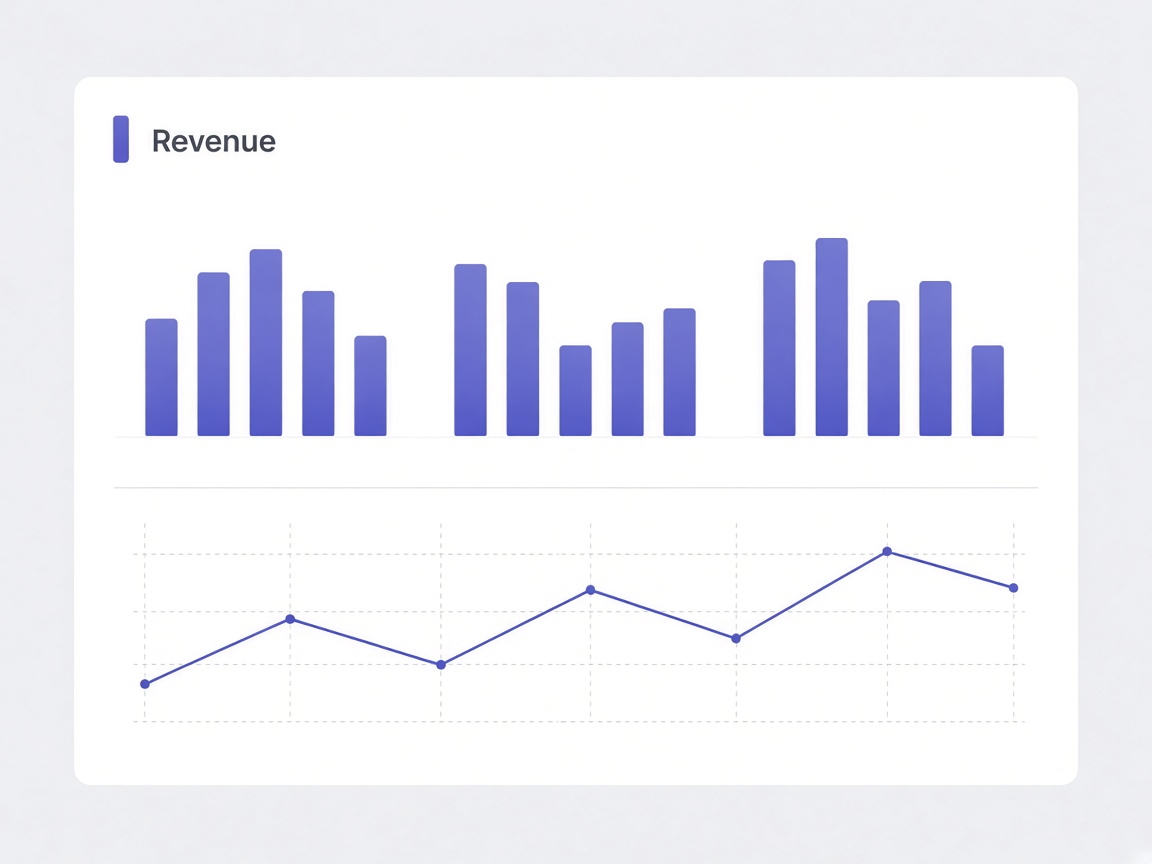
1234567891011121314151617181920212223242526272829303132333435363738394041import { Avatar } from "#components/ui/base-ui/avatar.tsx";import { Bubble } from "#components/ui/base-ui/bubble.tsx";import { Message } from "#components/ui/base-ui/message.tsx";import { indigoPalette } from "@stylexblocks/ui/themes/palettes.ts";
export function Example() { return ( <> <Message.Root align="end"> <Message.Avatar> <Avatar.Root size="sm"> <Avatar.Fallback>ME</Avatar.Fallback> </Avatar.Root> </Message.Avatar> <Message.Content> <Bubble.Root variant="solid" align="end" palette={indigoPalette}> <Bubble.Content> Here's the image. Can you add it to the PDF? </Bubble.Content> </Bubble.Root> <img src="/attachments/sales-dashboard.png" alt="Sales dashboard" /> </Message.Content> </Message.Root> <Message.Root> <Message.Avatar> <Avatar.Root size="sm"> <Avatar.Fallback>AI</Avatar.Fallback> </Avatar.Root> </Message.Avatar> <Message.Content> <Bubble.Root variant="subtle"> <Bubble.Content> Done. Here's the PDF with the image added as the cover page. </Bubble.Content> </Bubble.Root> <a href="/attachments/sales-dashboard.pdf">sales-dashboard.pdf</a> </Message.Content> </Message.Root> </> );}Install
1npx stylexblocks add messageSource
123456789101112131415161718192021222324252627282930313233343536373839404142434445464748495051525354555657585960616263646566676869707172737475767778798081828384858687888990919293949596979899100101102103104105106107108109110111112113114115116117118119120121122123124125126127128129130131132133134135136137138139140141142143144145146147148149150151152153154155156157158159160import type { ComponentProps } from "react";import * as stylex from "@stylexjs/stylex";import { createSlotRecipeContext } from "#lib/base-ui/create-slot-recipe-context.tsx";import { defineSlotRecipe } from "#lib/recipe-props.ts";import { fontSizes } from '@stylexblocks/ui/tokens/font-sizes.stylex.ts'import { fontWeights } from '@stylexblocks/ui/tokens/font-weights.stylex.ts'import { lineHeights } from '@stylexblocks/ui/tokens/line-heights.stylex.ts'import { semanticColors } from '@stylexblocks/ui/semantic-tokens/colors.stylex.ts'import { sizes } from '@stylexblocks/ui/tokens/sizes.stylex.ts'import { spacing } from '@stylexblocks/ui/tokens/spacing.stylex.ts'
const messageRoot = stylex.create({  base: {    display: 'flex',    alignItems: 'flex-start',    gap: spacing._2_5,    width: '100%',    minWidth: 0,    '--message-avatar-nudge': {      default: '0px',      ':has([data-slot="message-header"])': `calc(${lineHeights.xs} + ${spacing._1})`,    },  },})
const messageRootAligns = stylex.create({  start: {    flexDirection: 'row',    justifyContent: 'flex-start',  },  end: {    flexDirection: 'row-reverse',    justifyContent: 'flex-start',  },})
const messageAvatar = stylex.create({  base: {    display: 'flex',    flexShrink: 0,    alignItems: 'flex-end',    alignSelf: 'flex-start',    marginBlockStart: 'var(--message-avatar-nudge)',    minWidth: sizes._6,    minHeight: sizes._6,  },})
const messageAvatarAligns = stylex.create({  start: {    justifyContent: 'flex-end',  },  end: {    justifyContent: 'flex-start',  },})
const messageContent = stylex.create({  base: {    display: 'flex',    flexDirection: 'column',    gap: spacing._1,    minWidth: 0,    flexGrow: 1,  },})
const messageContentAligns = stylex.create({  start: {    alignItems: 'flex-start',  },  end: {    alignItems: 'flex-end',  },})
const messageHeader = stylex.create({  base: {    alignSelf: 'flex-start',    color: semanticColors.fgMuted,    fontSize: fontSizes.xs,    fontWeight: fontWeights.medium,    lineHeight: lineHeights.xs,  },})
const messageFooter = stylex.create({  base: {    display: 'flex',    alignItems: 'center',    gap: spacing._1,    color: semanticColors.fgSubtle,    fontSize: fontSizes.xs,    lineHeight: lineHeights.xs,  },})
const messageFooterAligns = stylex.create({  start: {    alignSelf: 'flex-start',    justifyContent: 'flex-start',  },  end: {    alignSelf: 'flex-end',    justifyContent: 'flex-end',  },})
const messageGroup = stylex.create({  base: {    display: 'flex',    flexDirection: 'column',    gap: spacing._2,    minWidth: 0,    width: '100%',  },})
export type MessageAlign = keyof typeof messageRootAligns
const messageSlotRecipe = defineSlotRecipe({  slots: {    root: { styles: messageRoot, aligns: messageRootAligns },    avatar: { styles: messageAvatar, aligns: messageAvatarAligns },    content: { styles: messageContent, aligns: messageContentAligns },    header: { styles: messageHeader },    footer: { styles: messageFooter, aligns: messageFooterAligns },    group: { styles: messageGroup },  },  defaultVariants: { align: "start" },});
/** * Message — conversation row. `<Message.Root align>` resolves alignment * once and every part inherits it through context; the avatar sits on the * first bubble, the header stays start-aligned, and the footer follows * the message side. Each part composes via `render`. */const { withProvider, withContext } = createSlotRecipeContext(messageSlotRecipe);
const HeaderImpl = withContext("div", "header", "MessageHeader");const FooterImpl = withContext("div", "footer", "MessageFooter");
function Header(props: ComponentProps<typeof HeaderImpl>) {  return <HeaderImpl data-slot="message-header" {...props} />;}
function Footer(props: ComponentProps<typeof FooterImpl>) {  return <FooterImpl data-slot="message-footer" {...props} />;}
export const Message = {  Root: withProvider("div", "root", "MessageRoot"),  Avatar: withContext("div", "avatar", "MessageAvatar"),  Content: withContext("div", "content", "MessageContent"),  Header,  Footer,  Group: withProvider("div", "group", "MessageGroup"),};
Inspired by the Message component from shadcn/ui.